PRODUCT: Tailoring Order Book WHO AND OUTCOME A small-business owner needs to complete this job: Measurements to final fitting. Start with business name and the first real entry; no enterprise setup.
SCREENS AND FIELDS Main workspace: Tailoring orders, with search, relevant date/status filters, a primary New entry action, and a visible list of current work. Selecting an entry opens a detail panel containing editable fields, chronological activity, totals, attachments where specified and the next valid action. Fields: Customer, measurement profile/version, garment, fabric received, design/reference, trial dates, delivery promise, deposit. Use an explicit empty state and an optional Load sample business action; sample data never appears to be real.
STATE TRANSITIONS Booked → Cutting → Stitching → Trial → Alteration → Ready → Delivered. Transitions must be recorded with timestamp. Explain missing requirements inline; do not enable a completion state before its requirements are met. Preserve important previous versions and corrective actions.
BUSINESS RULES Order snapshots measurements so profile edits do not alter work in progress; record fabric length/accessories and trial changes. Use decimal monetary arithmetic and USD currency. Validate dates, positive quantities, required identities and duplicate references. Show derived amounts immediately and prevent double submission using server-side idempotency.
ACCEPTANCE EXAMPLE AND OUTPUT Updating waist in profile must not silently change an existing order. Export job sheet and trial/delivery calendar; show outstanding balance.
IMPLEMENTATION Use a small persistent database and private attachment storage where needed. One owner account is sufficient; only add restricted customer links or operator access when the workflow explicitly requires it. Enforce access server-side, never only through hidden UI. Data must survive refresh and reopen. Include backup/export and safe corrections; confirm destructive deletion. No ERP AI dependency, table designer, role matrix or generic enterprise dashboard. External messaging/payment/tax integrations must be real and explicitly configured; otherwise provide clearly labeled manual recording or message preparation. Never simulate successful payment, filing, OCR, message sending or delivery.
VERIFY Test create-edit-reload, the example above, invalid input, duplicate submission, state changes and exported totals. Verify private links cannot access another customer's records where applicable.
APP-SPECIFIC VISUAL DESIGN DESIGN IDENTITY: THE CUTTING ROOM — Tailoring measurement sheet. COLOR TOKENS: background #e7e2da; primary text #423e3c; primary accent #474b59. Derive quiet borders and secondary surfaces from this palette. Use contrast-checked status colors and text labels. Do not apply the gallery's black shell to the app. TYPOGRAPHY: Georgia display with Geist body. Use self-hosted fonts when available, 16px body, 14px labels, tabular numerals for money. Display sizes below are desktop targets, not mobile minimums. DESKTOP COMPOSITION: Use a muted fabric-paper palette. Left narrow ruled editorial panel identifies the order book. Right is an ivory measurement sheet with customer, garment, a 2-by-2 primary measurement grid, units, fit notes, fabric received and next fitting. More measurements expand by garment type; never assume the four sample values cover every garment. Nearly square 8px cards, serif numeric measurements, dashed fitting divider. RESPONSIVE BEHAVIOR: Remove the decorative left panel; prioritize garment selection, labeled measurements/units and next fitting. DETAILS AND BEHAVIOR: The preview is a visual direction, not the complete field list. Implement every functional requirement in the app specification. Sample headings and fictional brand names are editable; show demo data only in an explicit example mode. Preserve this composition, typography and material treatment instead of falling back to a generic admin dashboard. Add meaningful empty, loading, validation, disabled and failure states. Interactive controls need visible focus and at least 44px touch targets. Actual application text must remain readable; do not copy the gallery thumbnail's scaled-down text sizes.
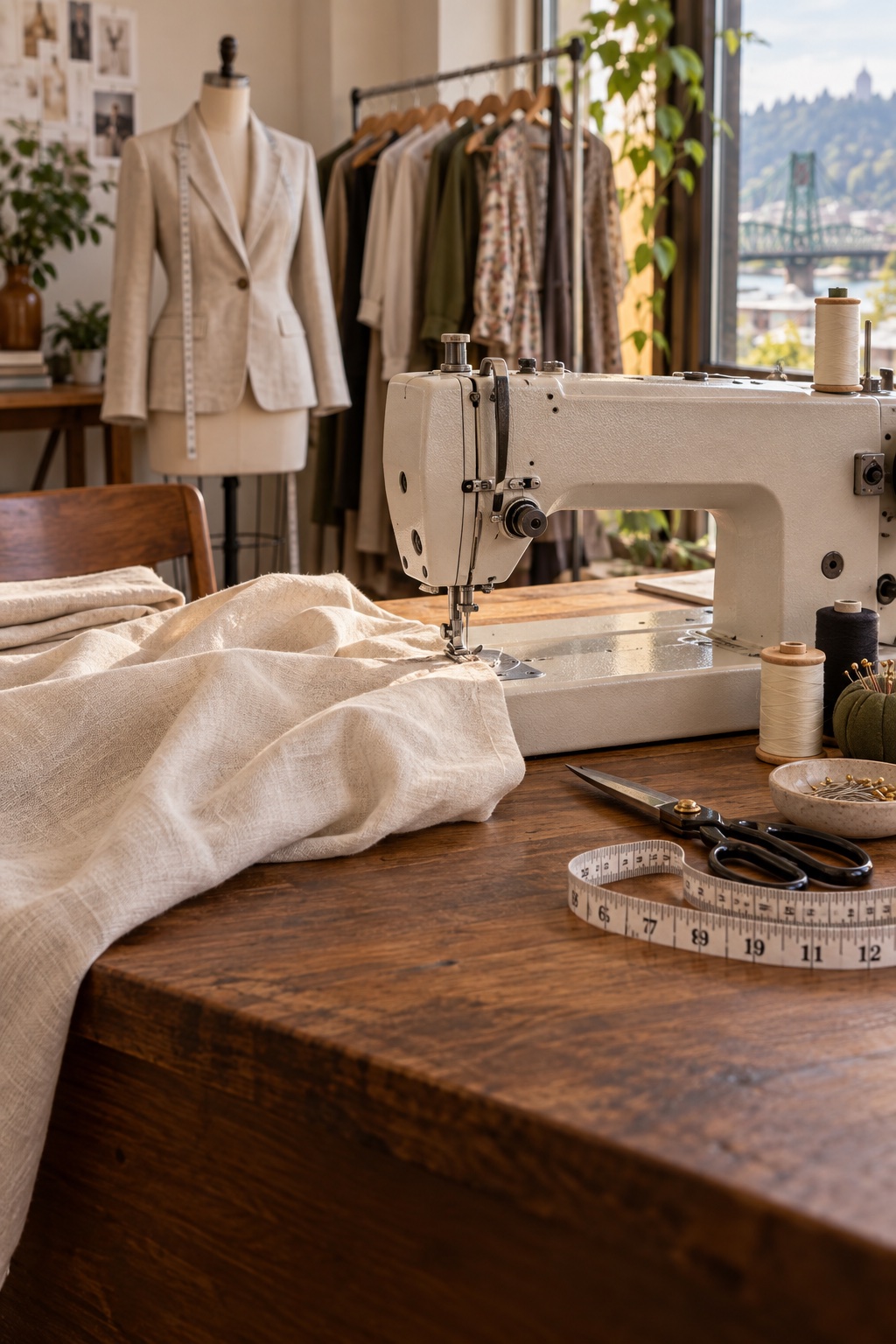
IMAGE COMPOSITION (REFINES THE BASE DESIGN ABOVE) Fill the left editorial panel with the sewing photograph, keeping the sewing machine, linen fabric and dress form visible above and serif text over a dark lower fade. The measurement sheet on the right stays ivory and untextured. Reference photo: https://business-templates.build.host/app-photos/us-tailoring.jpg Source: AI-generated illustration created for this gallery Use this supplied image URL or a suitable owner-provided image of the same subject. Reserve image dimensions, use deliberate object-fit cover crops, preserve the subject, lazy-load below-the-fold images, and keep controls and text on contrast-checked overlays or solid surfaces. Do not replace photography with emoji, icon placeholders or CSS illustrations. On narrow screens reduce image height only as needed while preserving the functional mobile layout. These are illustrative sample photos, not evidence about real customers or transactions.
US LOCALE Use USD ($) with en-US grouping and cents, American English, US names and addresses, MM/DD/YYYY dates, 12-hour times, Fahrenheit, and US customary units. Sample amounts are fictional USD values, not converted exchange rates. Treat sample tax rates as illustrative only; require the business to configure applicable rates and taxability. Use US small-business imagery and preserve the supplied image provenance.
IMPLEMENTATION AND DESIGN CONTRACT Build this working app, not a promotional page. Use the exact inputs, states, formulas and exports above. Use a responsive workspace with labeled controls, 16px body text, visible keyboard focus, sufficient contrast, and a clear primary action. Follow the app-specific palette and typography above. Use self-hosted fonts; body 16px/400 and labels 14px/500. Size headings and results according to the app-specific hierarchy above; ordinary section headings default to 28px/600. Use 44px minimum control heights. Follow the app-specific corner radii, panel treatment, spacing and desktop composition above; where unspecified, use 8px controls and 24px section gaps. Primary buttons use the primary token with a contrast-checked label. Use thin neutral borders, not a shadow on every element. Below 768px follow the app-specific mobile layout above and keep primary actions reachable. Keep sample data behind Load example and visibly label it; do not mix it with real user data.
No ERP AI dependency, enterprise table-configuration screen, or permission matrix. Use the smallest architecture that fulfills this specific workflow. Keep secrets server-side. Only add authentication where the brief requires protected shared data. Prefer local file processing and allow users to clear their data.
Verify each numeric example and primary workflow specified above, including empty, invalid and failed states. Confirm that downloaded files contain the displayed results. Report any unavailable integration plainly; do not ship a button that simulates success. Deliver the complete app and only the setup steps needed for real integrations.